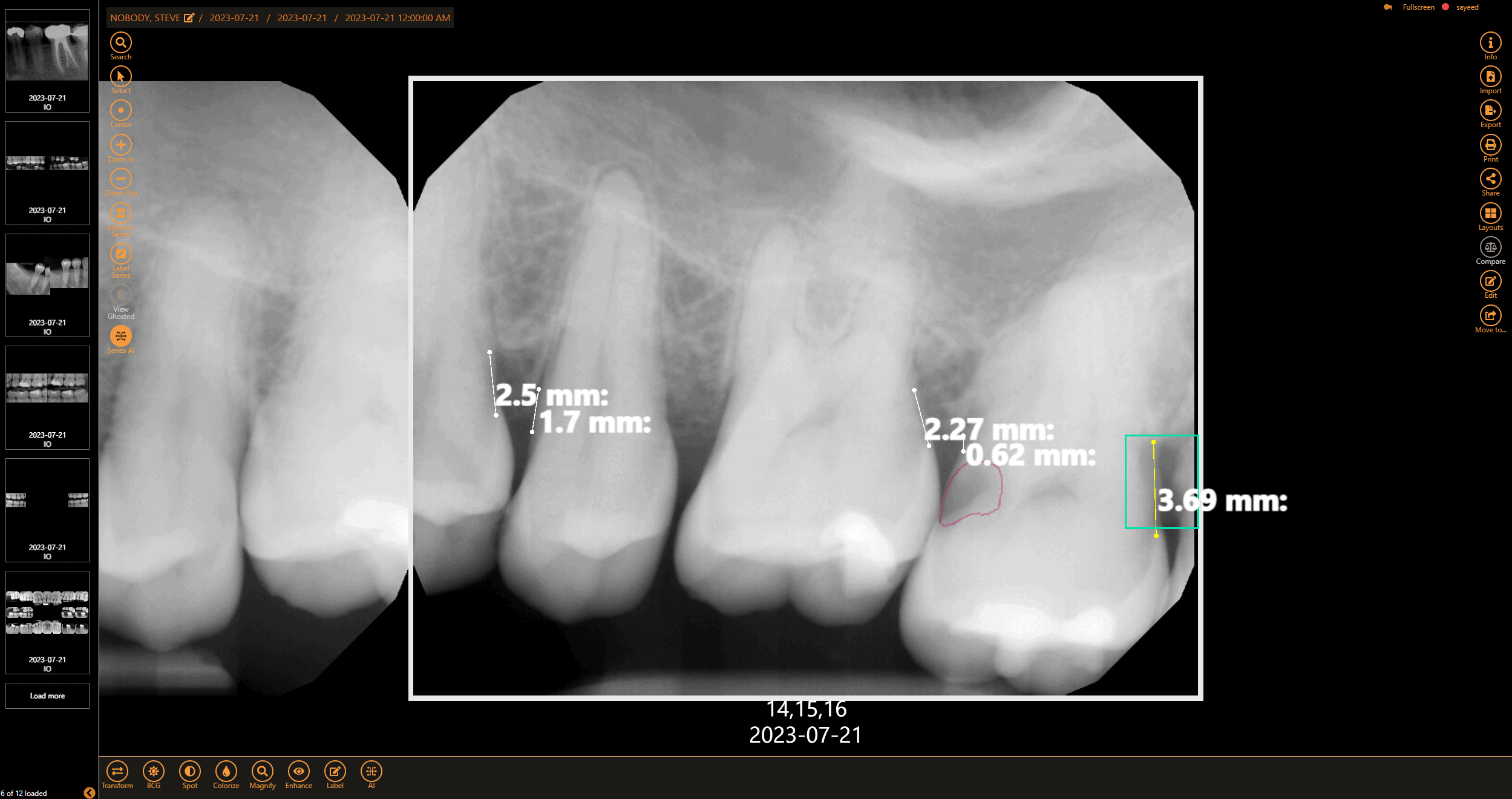
Get a second opinion to help diagnose decay, identify tarter build-up, and highlight bone levels to assist in diagnosing periodontal disease
Apteryx XVWeb Dental Imaging software is a cloud-based dental imaging solution that allows you to store, view, and optimize clinical images for treatment planning that is accessible anytime, anywhere.


Offices can use their own devices and don’t need to conform to certain sensors or practice management solutions to work with our dental imaging software.
Dentists can easily pull up images at any office without the complications of downloading and sending the images via email from another office.
From one simple view, images can be treated with enhancements, easily annotated, and compare images taken from the same interface with minimal clicks.
Save time by logging into one system to capture, view, enhance, and analyze x-rays with AI using Apteryx XVWeb.
With built-in AI capabilities, practices can experience an 18% increase in production while enhancing provider-patient relationships.
Easily view and share AI-analyzed images to highlight problem areas, boosting case acceptance by up to 21%.
Apteryx XVWeb Dental Imaging is an intuitive cloud-based dental imaging software that allows dentists to capture, view, edit, annotate, and send images securely and easily with an internet connection.
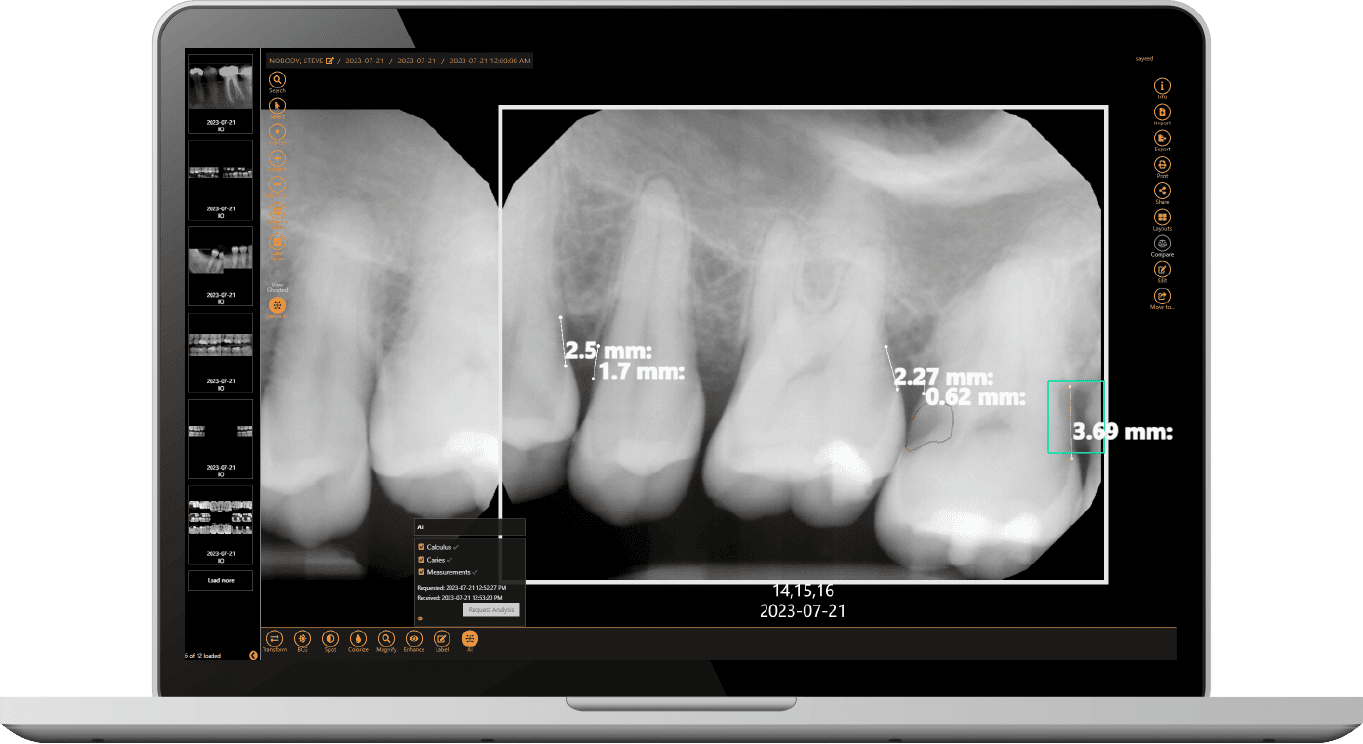
Get a second opinion to help diagnose decay, identify tarter build-up, and highlight bone levels to assist in diagnosing periodontal disease
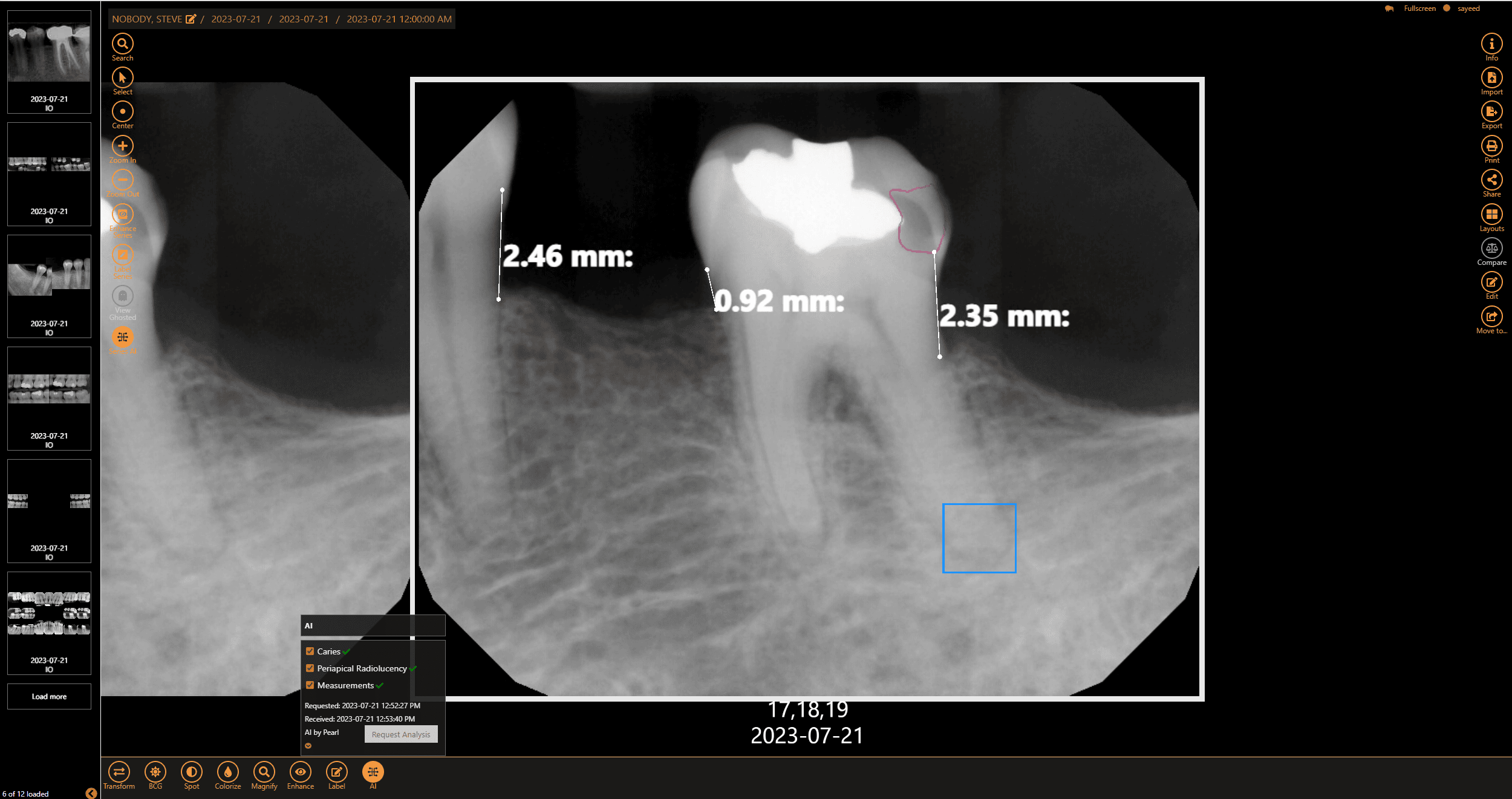
Review AI feedback on periapical radiolucency, typically found at the apex of a periapical X-ray
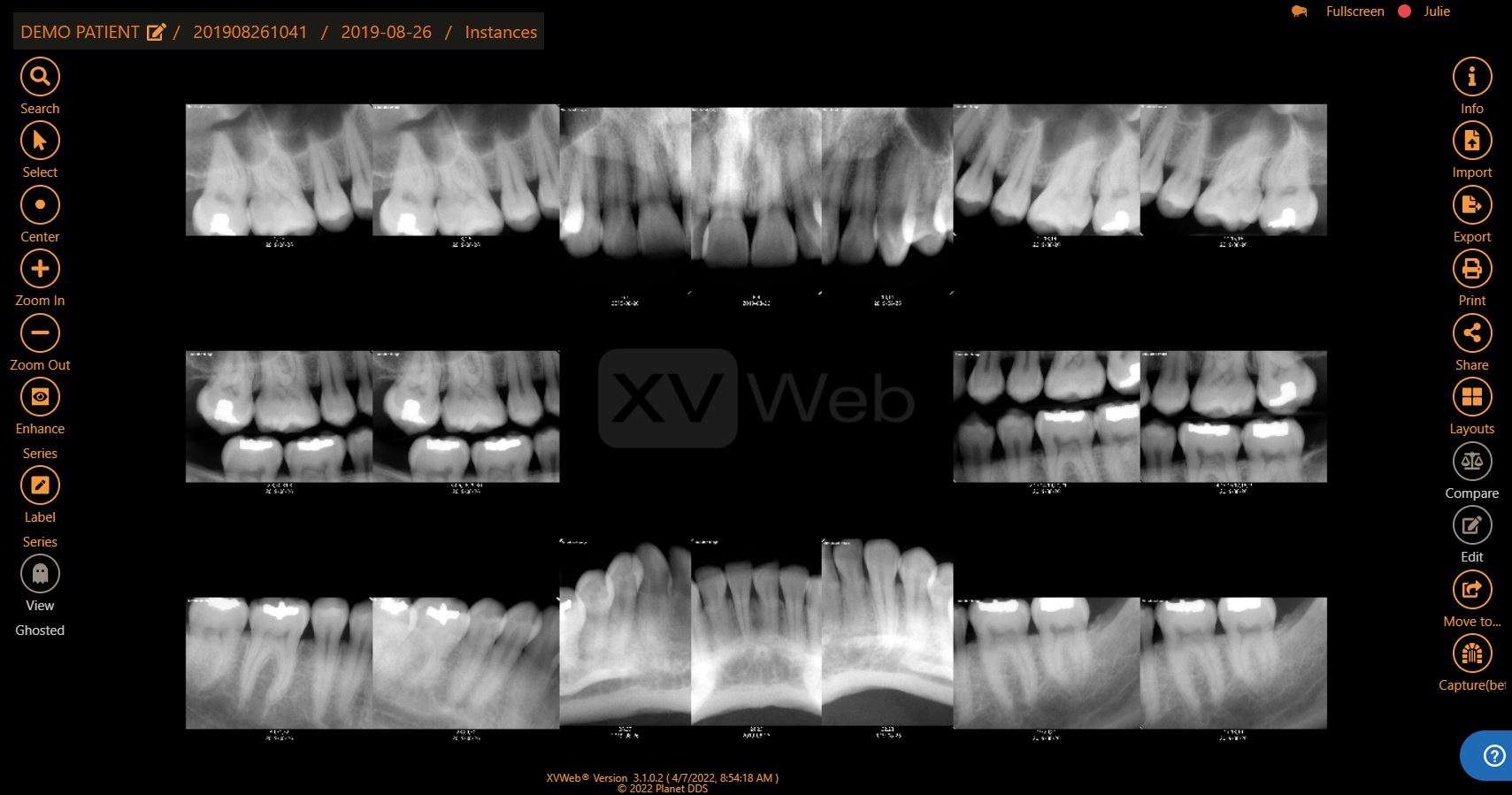
Image Viewer: From one screen, you can view, edit, and share x-ray images easily.
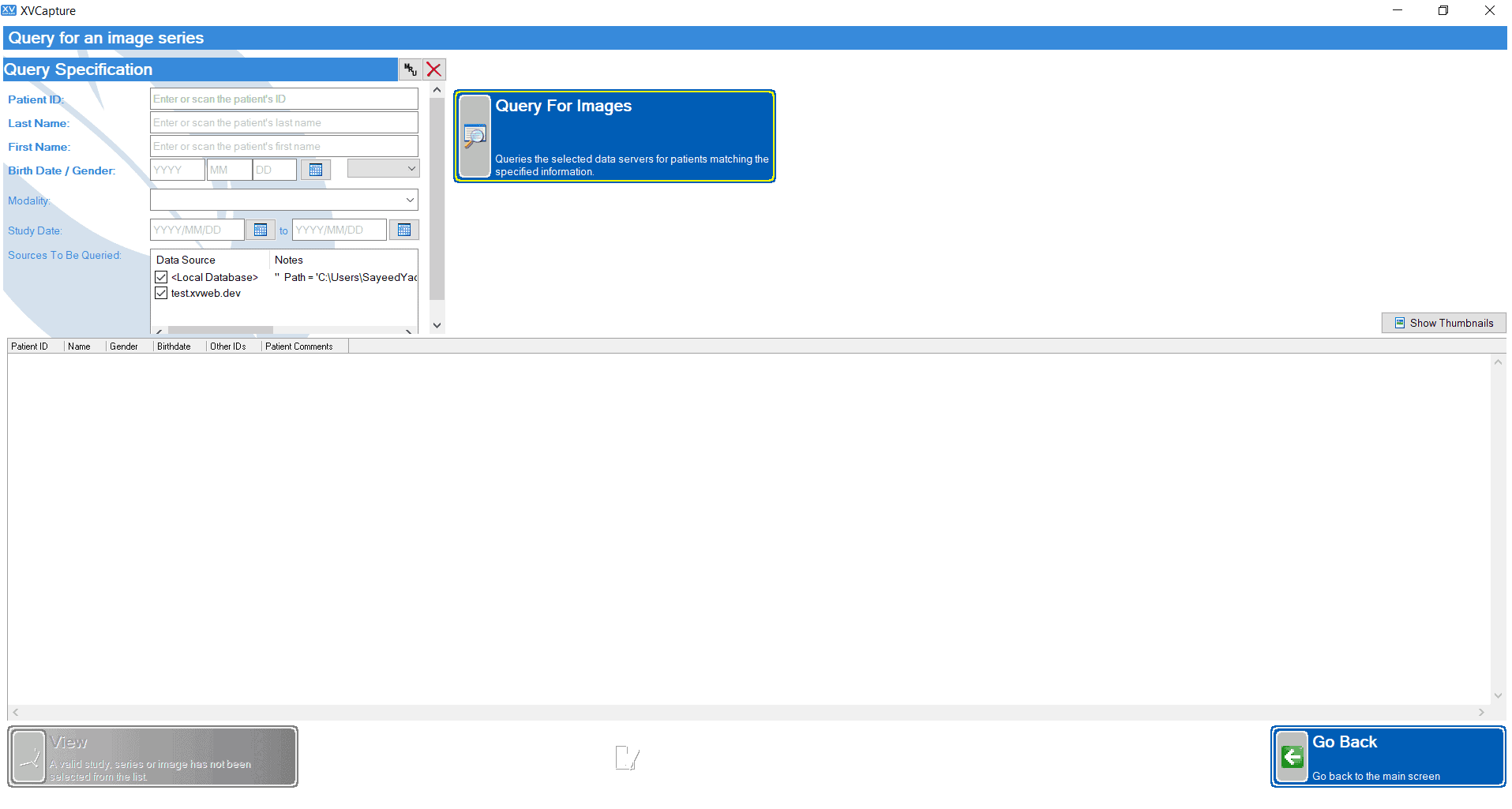
Patient Query Screen: Easily find patients’ images by searching through this screen.
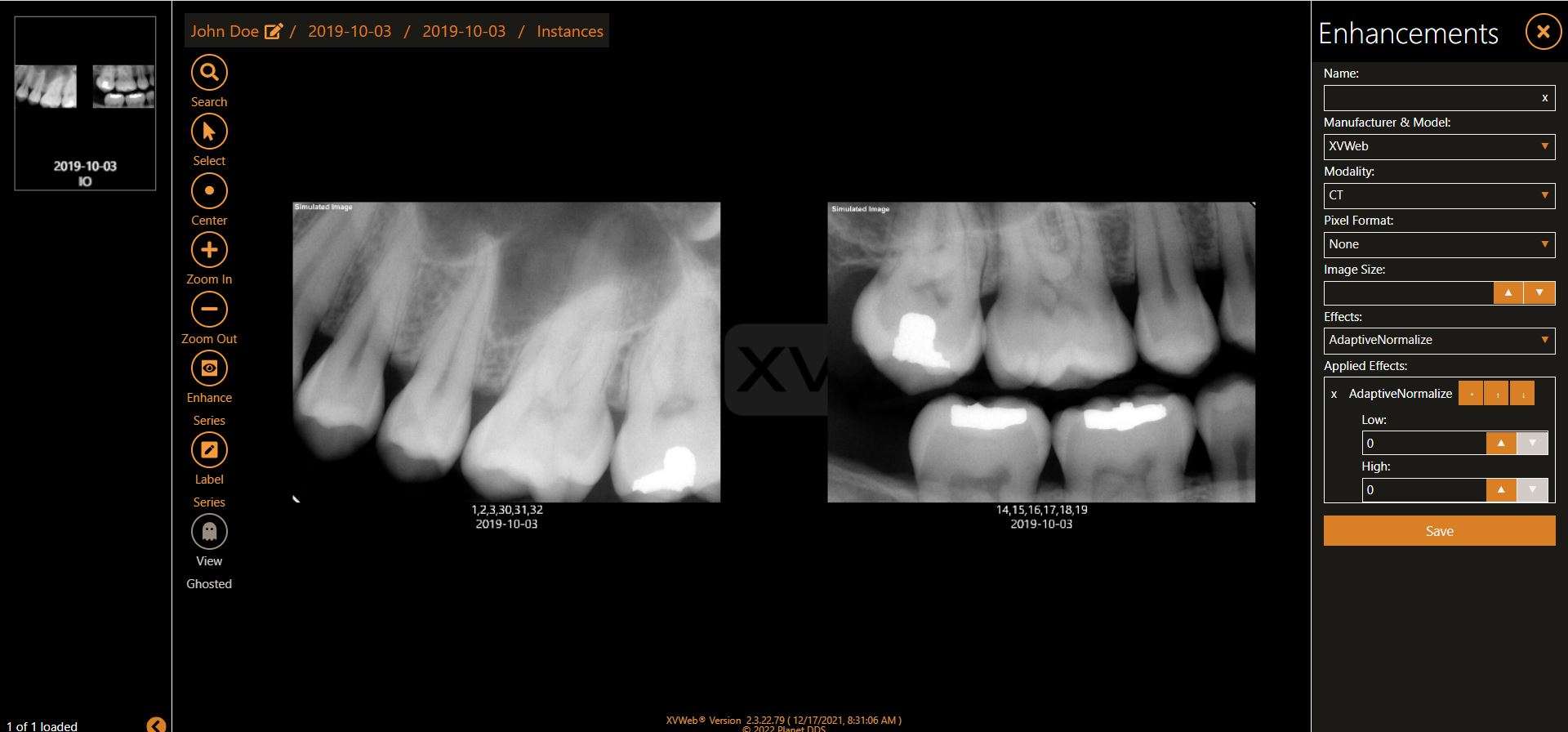
Enhancement Feature: From the image viewer screen, apply enhancements to images.
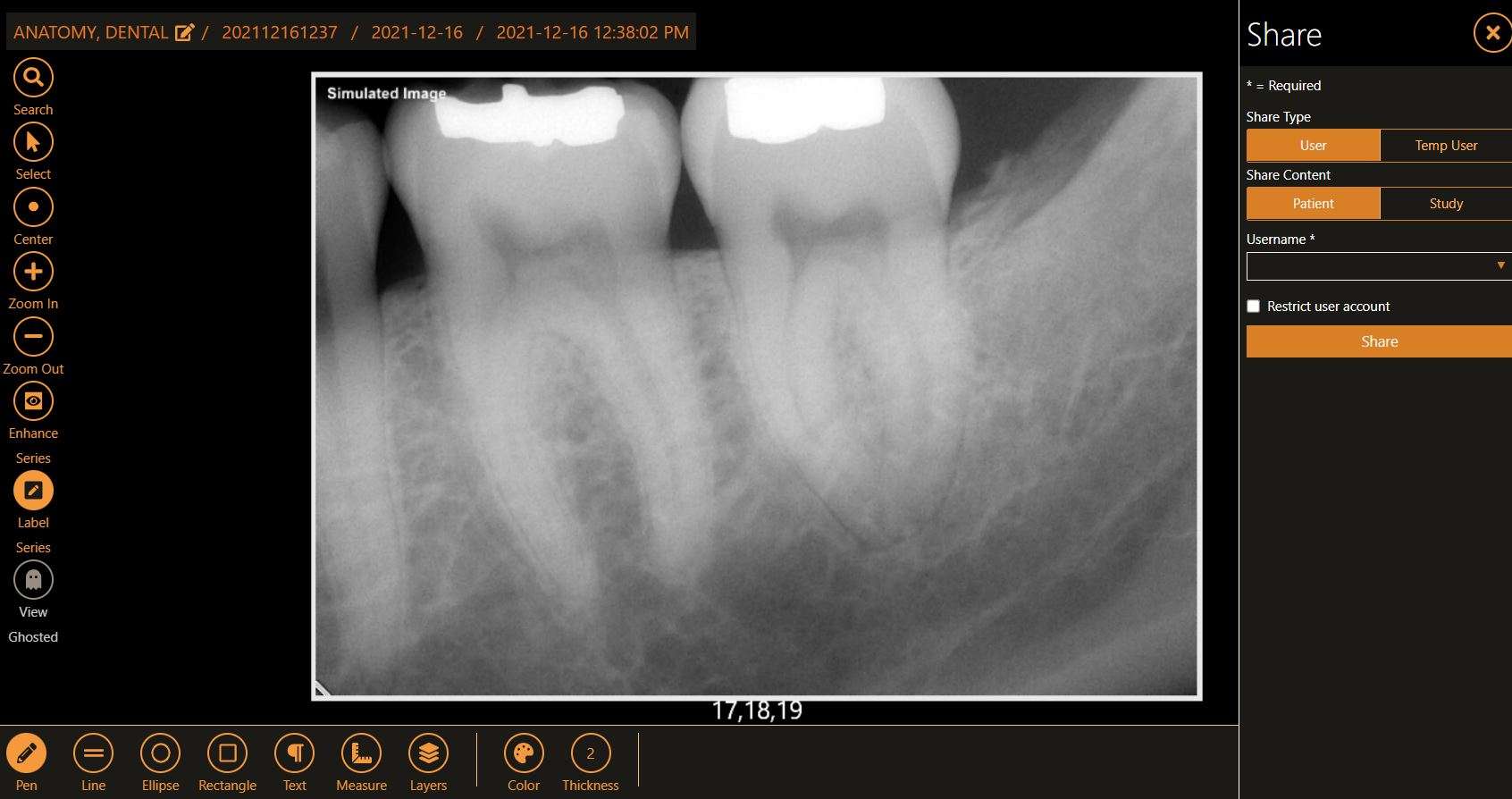
Label & Sharing Features: Ability to make notes directly on the image as an overlay and share securely with others.
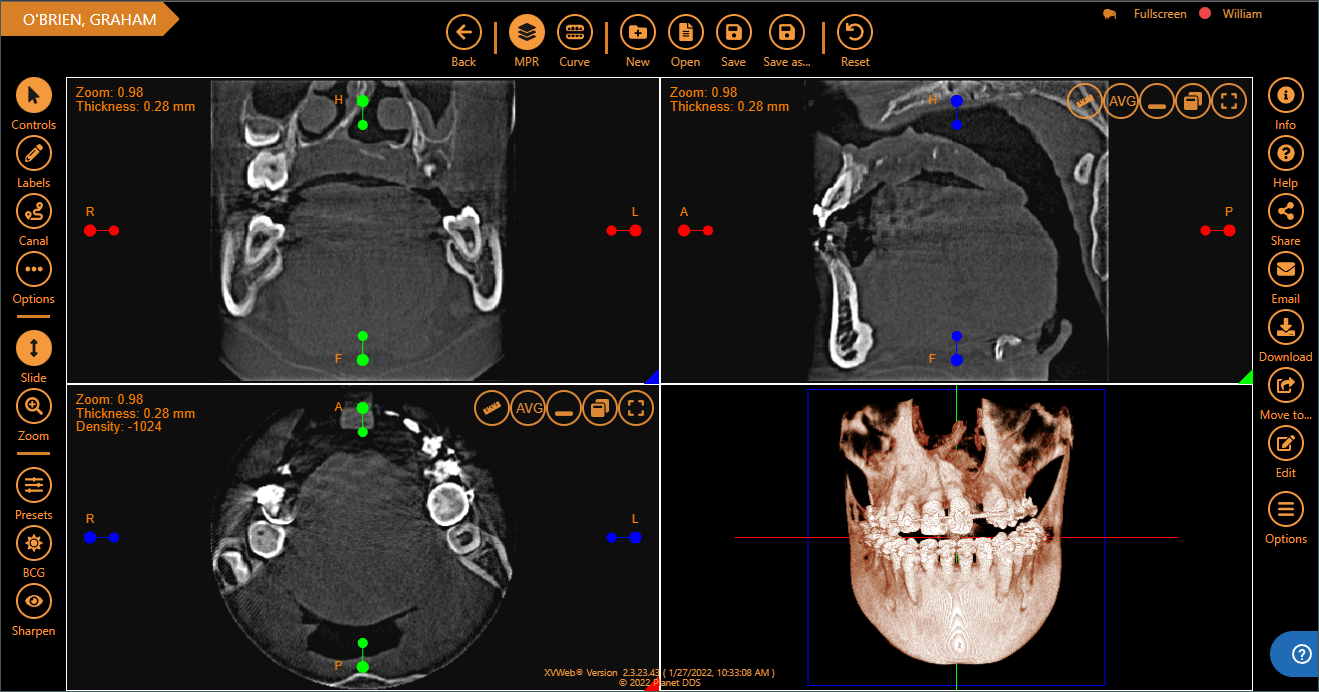
3D Module: Add-on feature allowing you to view and store 3D images.
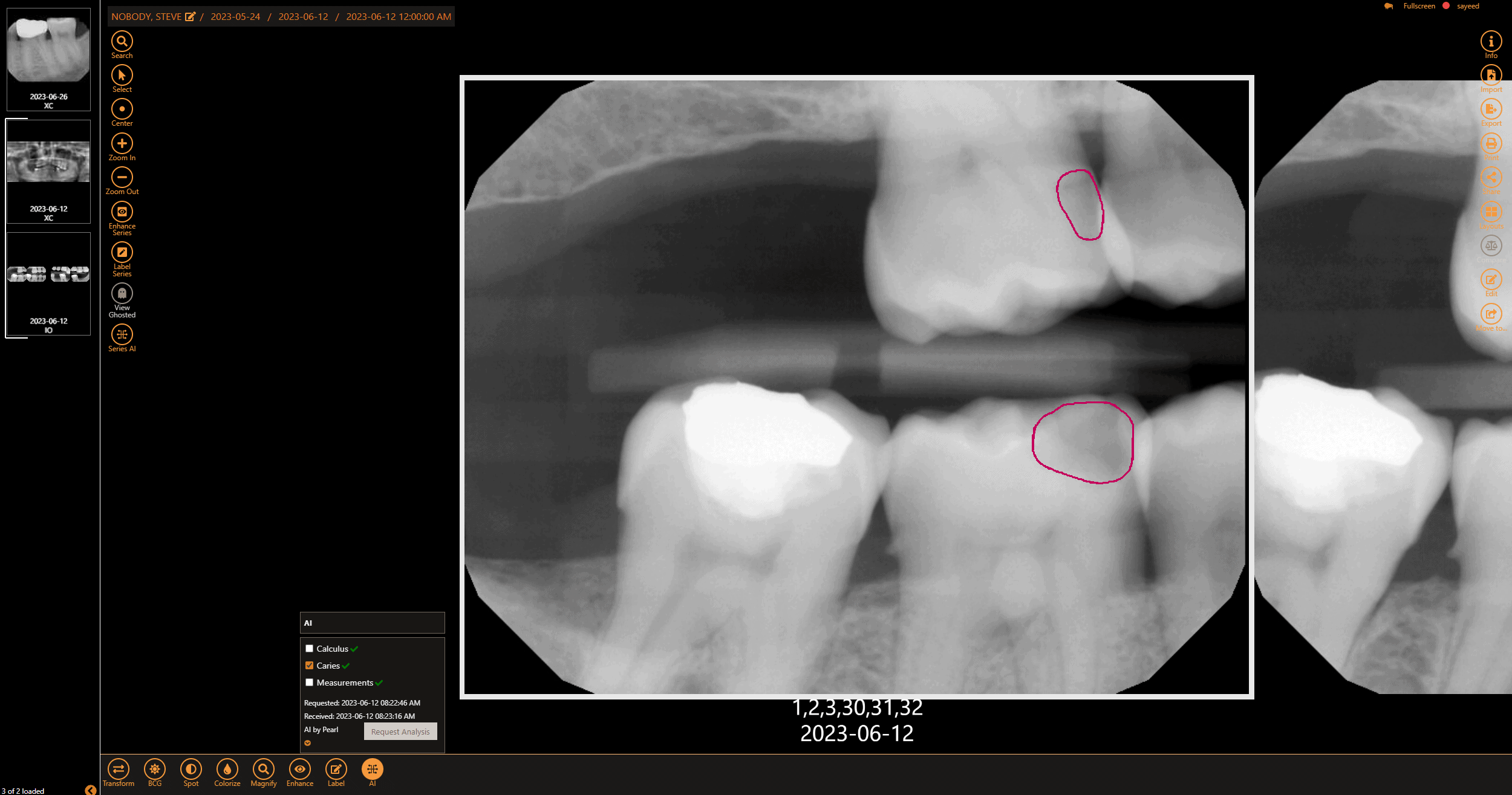
With AI feedback, receive real-time second opinion for diagnosing caries and creating a treatment plan directly at the patient's chairside
“I would not move to any other software. At this price point and what you get for it, there is nothing out on the market that will save me more money or give me better results.”

Blog
Technology creates many ways for us to differentiate our brands and offer patients the best experience in healthcare. AI-assisted dentistry can help us diagnose disease, move teeth, manage periodontitis, and much more.
Infographic
Discover if your dental imaging software is saving your practice money, allowing your practice to grow, and secure with this digital checklist.
eBook
In this eBook, What To Do When Your Sensors Go Down, learn how to examine your options when your sensors go down so your practice can continue offering quality patient care.